Simulation
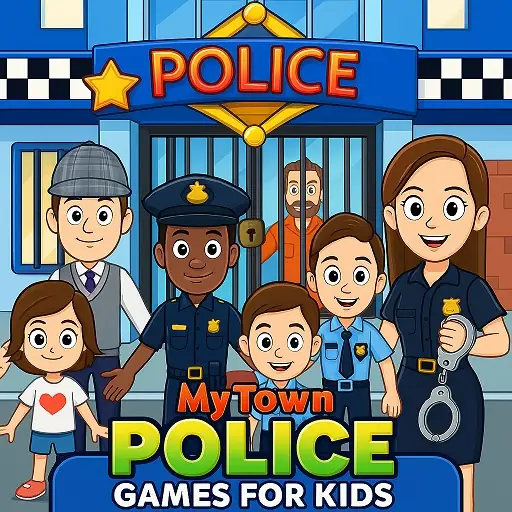
My Town Police Games For Kids
Play My Town Police Games For Kids free online and join an exciting law enforcement adventure where teamwork, exploration, and creativity come together.
- Category
- Simulation
- Platforms
- Desktop, tablet & mobile
- Controls
- Keyboard / mouse
- Touch
- Touch
- Added
- October 27, 2026
About My Town Police Games For Kids
Play My Town Police Games For Kids free online and join an exciting law enforcement adventure where teamwork, exploration, and creativity come together. Explore a busy police station, help solve fun cases, patrol the town, and create your own action-packed stories in a colorful world filled with exciting activities. My Town Police Games For Kids is a delightful simulation adventure that combines role-playing, storytelling, exploration, and interactive gameplay into an engaging experience for players of all ages. Play free online in your browser and visit police stations, patrol vehicles, control rooms, training areas, town streets, and many other exciting locations throughout the community. Step into the role of a police officer and experience a day filled with exciting responsibilities and adventures. Explore different areas of the police station, interact with interesting characters, and discover how a law enforcement team helps keep the town running smoothly. Create your own stories by taking on different roles throughout the police department. Become a police officer patrolling the streets, a dispatcher coordinating activities, a detective investigating mysteries, or a helpful community member assisting with important tasks. Explore detailed police facilities filled with interactive equipment and exciting activities. Visit offices, training rooms, communication centers, and garages while discovering new opportunities for creative role-playing. Patrol the town and participate in fun missions designed to encourage imagination and problem-solving. Every activity offers exciting opportunities for storytelling and adventure while exploring different parts of the community.
The open-ended gameplay encourages creativity and self-expression. Move characters between locations, organize exciting scenarios, and invent unique adventures that make every play session different and enjoyable. Meet a variety of friendly characters who bring the town to life. Work with officers, interact with residents, and participate in exciting activities that create memorable moments and rewarding experiences. Hidden surprises and entertaining discoveries can be found throughout the police station and town. Curious players who explore every location often uncover special interactions, exciting activities, and fun rewards. The colorful visuals, engaging role-playing opportunities, and interactive environments make My Town Police Games For Kids a fantastic experience for players who enjoy creative storytelling and family-friendly adventures. Every location offers something exciting to explore and enjoy. Designed as a seamless HTML5 experience, My Town Police Games For Kids runs directly in your browser on desktop, mobile, and tablet devices. If you enjoy police adventures, simulation games, role-playing experiences, or interactive storytelling, this game is the perfect choice. Explore the police station, help the community, and create unforgettable adventures in My Town Police Games For Kids!
How to Play
- Press Play to load the game in this page.
- Use the keyboard, mouse or on-screen controls shown inside the game.
- On a phone or tablet, use the touch controls that appear in the game.
Controls
Desktop
- Keyboard / mouse
- Use the controls shown in the game
Mobile & Tablet
- Touch
- Use the on-screen buttons and gestures
Game Objective
Play My Town Police Games For Kids and try to beat your best score or finish the challenge.
Tips & Strategy
- Play in landscape for the largest view.
- Tap Fullscreen if you want the game to fill the screen.
- If the game feels slow, close other heavy browser tabs.